Manage Human Design charts without hunting for them
A client writes to you again after eight months. You type her name and her chart is right there, with everything you discussed back then. No folder on your computer, no file called chart-final-2.pdf.
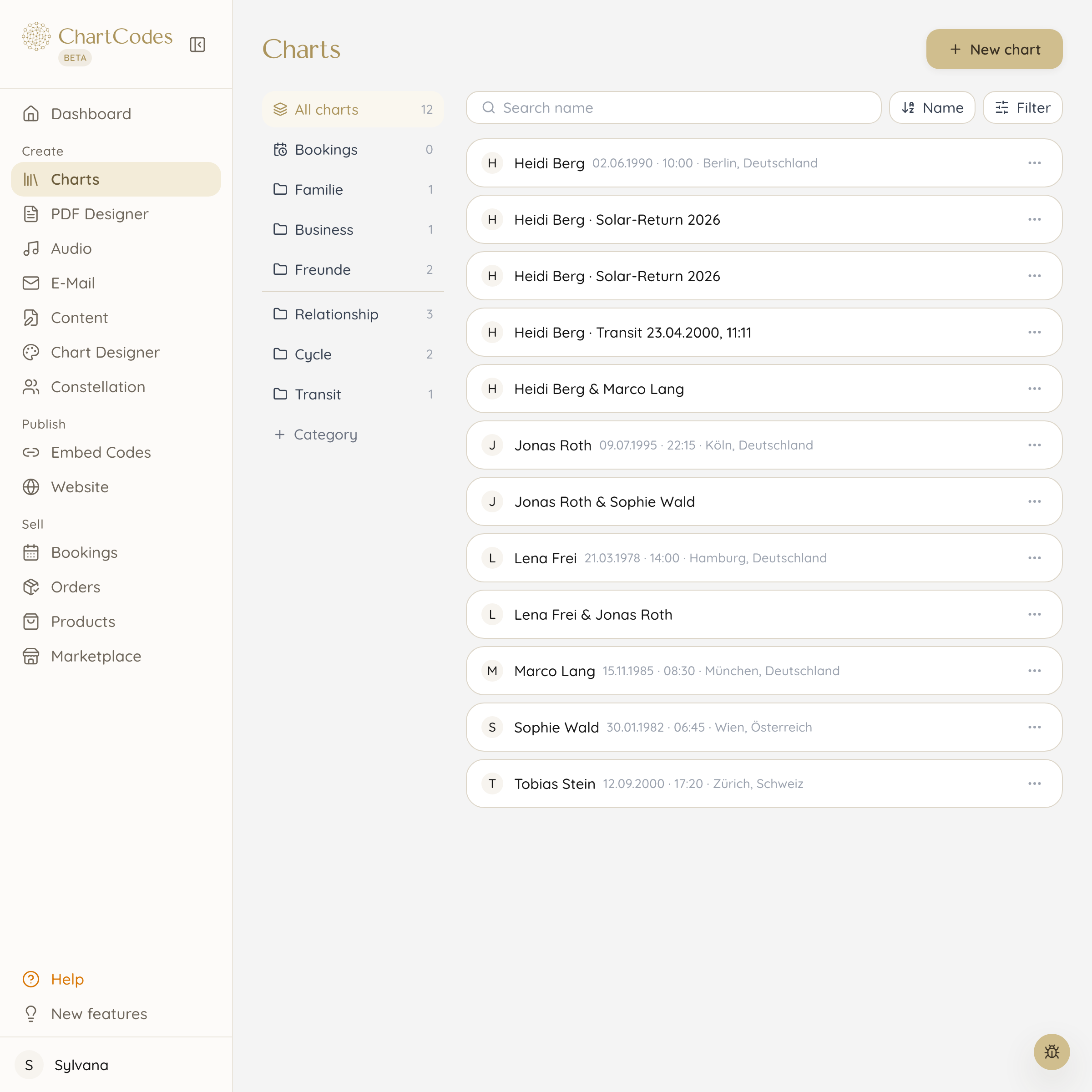
Everyone you work with has their place
A person often comes with several charts: their own, the relationship chart with their partner, the yearly chart, a transit. Instead of four loose files you have one person with four charts.
You create folders the way you work. Family, business, friends, ongoing clients. Even with many clients you still find the right chart in seconds.
- Folders, search and favourites for daily access
- Single, relationship, transit and yearly charts under one person
- Charts from the calculator on your website land here automatically
Show me every projector with emotional authority
You can filter by any chart property: type, profile, authority, defined centres, single gates and channels. That is how you find groups that belong together.
This is where almost every good offer starts. A workshop just for projectors. An email to everyone with an open solar plexus. A sample chart for your Instagram post that shows exactly the gate you are talking about.
What you actually need during a session
You open a chart and see not only the graphic but your own interpretation texts alongside it. No second window, no leafing through notes.
From the same view you send the client her chart by email, create a PDF report or set up a relationship chart with her partner. All without typing the data in again.
Three things that suddenly get easy
A client asks about her chart a year later: you type the name and send it in twenty seconds. You want to run a workshop for manifestors: the filter shows you have eighteen of them in your list. You prepare a session: next to the chart you already see your own notes on every gate.
These are moves that used to mean searching folders or recalculating charts. Over a year that adds up to many hours.
Frequently asked questions
How many charts can I store?
Storage is unlimited, no matter which plan you are on. Plans differ in how many charts are newly calculated per month.
Do charts from my website arrive here automatically?
Yes. Every chart someone calculates through your calculator lands in your library with consent, and as a contact in your email marketing.
Can I bring my existing clients over?
Yes, you add them one by one or import a list with names and birth data. The charts are calculated on the way, so you do not have to retype anything.
Can my clients see their charts too?
If you want them to. You can give every client their own login where their charts, purchased reports and audios live.
Can I add notes to a chart?
Yes. Your own interpretation texts sit next to the chart, and you can record for every person what mattered in the session.
What happens to the data if I cancel?
You can download all charts and contacts as a file before you leave. The data belongs to you, not to us.
Goes well with
Sign up now and create your first chart in your design today
Start for free, ready in one minute. No payment details, no deadline, no risk.