A coach app without an app store, right on your home screen
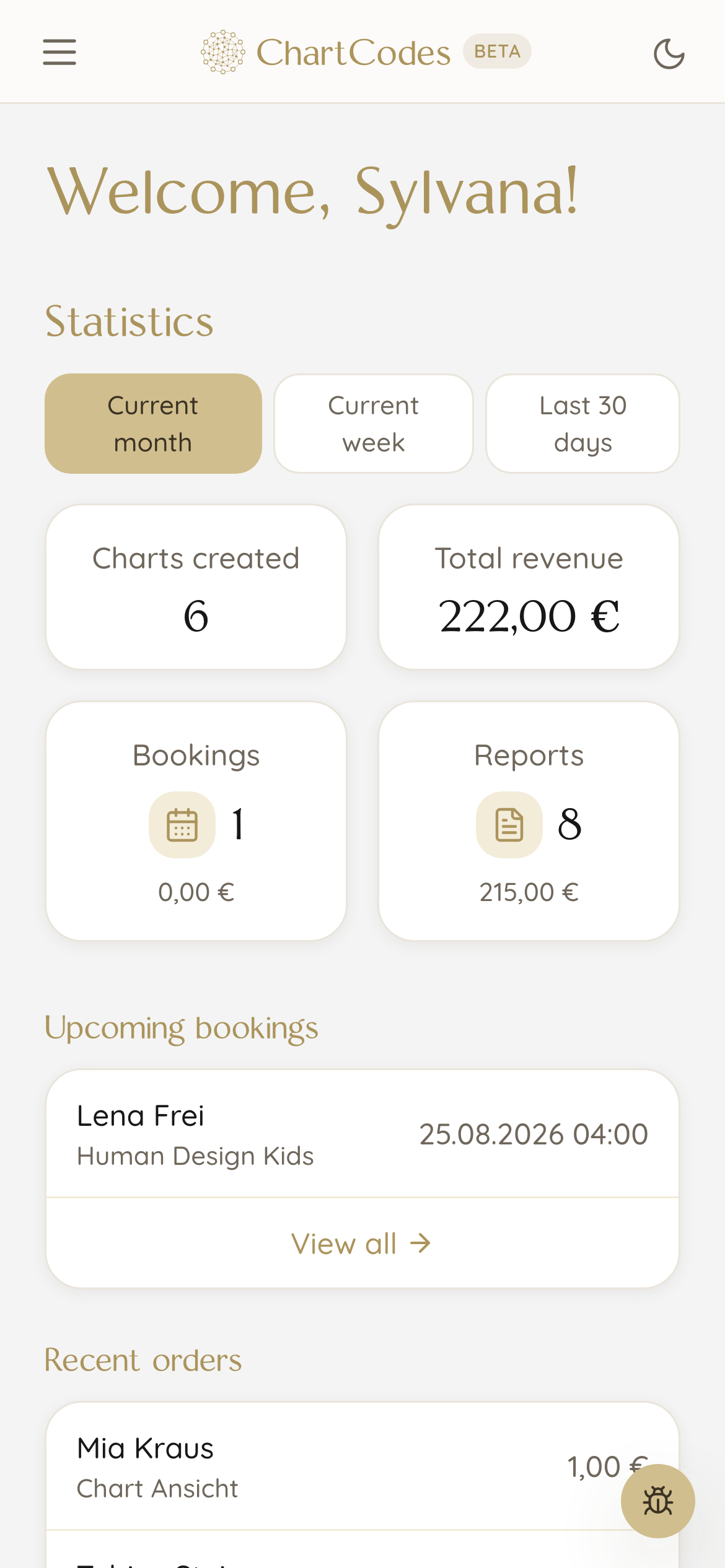
You are queuing at the bakery and want to know whether anyone bought overnight. One tap on the icon on your phone and you see your numbers. No app store, no installation, no updates.
What you actually need on the move
The overview shows what matters today: revenue, new contacts, reports sold and your next appointments. All at a glance, no searching.
When someone books a reading, a message arrives on your phone. So you find out while you are out and about, not that evening at your desk.
- Your numbers and next appointments at a glance
- A message on your lock screen when someone books or buys
- Look at charts and send one by email
How does the icon get onto my phone?
You open ChartCodes in your phone browser and choose Add to home screen from the menu. Done. From then on the icon sits among your other apps.
There is no app store because there does not need to be one. New features are there immediately, you never have to update anything, and it takes up hardly any storage.
What works on a phone and what is better on a computer
On your phone you check numbers, look at appointments, open a chart and send it to someone. Those are the things you do in between.
Designing a PDF report or setting up your website is better on a big screen. Not because it would not work, but because you have more room there.
Why there is no app from a store
An app in a store would have to be reviewed on every change and updated by you. For a tool that keeps evolving, that would be nothing but friction.
This way you get new features the moment they are ready, without a single click. And you hand no data to a store sitting between you and your business.
Frequently asked questions
Is this a real app?
It sits on your home screen and opens like an app, without a browser bar. It simply does not come from an app store, so there is no installation and no updates.
Does it work on iPhone and Android?
Yes, on both. On iPhone the option is called Add to Home Screen, on Android Add to home screen.
Do I get a message when someone books?
Yes, on request it appears on your lock screen. You decide whether you want that, nothing is sent unasked.
Can I calculate a chart on my phone?
Yes. Type in the birth data, look at the chart, send it by email. Handy when someone asks about their type over coffee.
Does it use a lot of storage on my phone?
Hardly any. It is essentially a shortcut to your account, not a large installation like an app from a store.
Goes well with
Sign up now and create your first chart in your design today
Start for free, ready in one minute. No payment details, no deadline, no risk.